
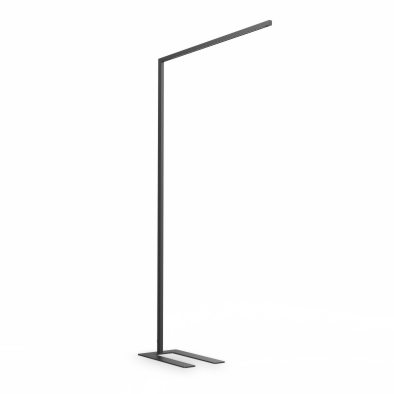

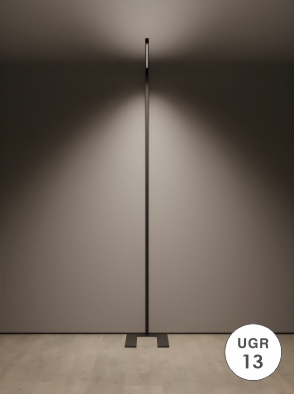

SMILLA FLOOR
High-quality design and intelligent engineering delivers high quality lighting directly to the workplace. The flexible free-standing luminaires can be intuitively operated and are easy to maintain.
Create beautiful lighting in your office, residence, commercial building or industrial space.
Freestanding Task Lighting
Down light element
Precise in-line appearance
Touch Interface
PIR sensor
MODEL NUMBER :
SMILLA FLOOR
HOUSING : Aluminium extruded.
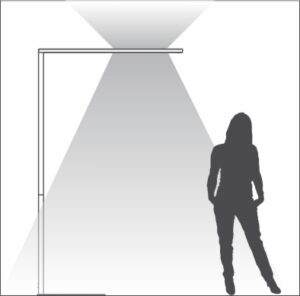
LIGHT SOURCE : The fitting is designed to operate a LED up to 80W. Up and down light.
BEAM ANGLE : Up - 50º | Down - 50º
FINISH : Powder coated.
MOUNTING : Floor standing.
SYSTEM EFFICIENCY : 50lm/W
CCT : 3000K - 5000K.
CRI : 97
SDCM : 3 step
DIMMING SYSTEM : Touch control.
SENSOR : PIR
APPLICATION : Suitable for indoor use only.
Operating Temperature (Ta) - 20° C to +30 ° C.
FEATURES : Equipped with a diffused uplight.
The optical system is designed to minimise glare.

LED


- Indoor application.
- General lighting applications.
- Office lighting.
- Call centres.
- Education.
- Healthcare.


Upper Light Switch
Press: Turn the upper light on or off. Press and hold:
Allows you to adjust the brightness of the upper light.
Up and Down Light Switch
Press: Turn the upper light and down light on or off together
Press and hold: Allows you to adjust color temperature gradually from 3000K to 5000K
Down Light Switch
Press : Turns the down light on or off.
Press and hold: Enables you to adjust the brightness of the down light.
Human Body Sensor Switch
Once the sensor detects that a person has left the area:
After 15 minutes, the light will gradually dim from its current brightness level to 30% of the maximum brightness. If no further human movement is detected within the subsequent 15 minute period (i.e., 30 minutes in total after the person leaves), the light will automatically turn off. However, if human movement is detected at any point within these 30 minutes, the light will gradually return to the brightness level that was set before the person left.
PIR Sensor Switch
After you adjust the light intensity by touching the button, release it. The current desktop illuminance value will be stored 5 seconds later. When the external light conditions change and cause a variation in the desktop illuminance, the lamp will gradually adjust its brightness to restore the desktop illuminance to the previously stored value.


LIKE WHAT YOU SEE?
Get in touch with a Sales Consultant to discuss new products, recent projects, news and more!